Personalize Apple CarPlay: wallpaper, app layout, and driving focus
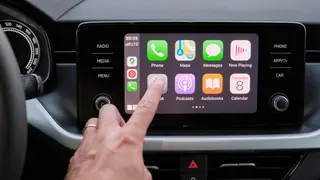
CarPlay offers customization options like changing wallpaper, text size, and app arrangement via iPhone settings. Users can also enable Driving Focus mode to silence notifications and set auto-replies. These tweaks help tailor the in-car experience to individual preferences.
Users can alter the visual interface by selecting different wallpapers, toggling between dark and automatic themes, and adjusting text size or boldness. App icons and widget stacks are rearranged through the iPhone's CarPlay settings menu. Additionally, the iOS 26 update introduces Smart Display Zoom, which scales down interface elements to fit more information on larger car screens.
For safer interaction, the Driving Focus preset can automatically engage upon detecting motion or a CarPlay connection, silencing alerts while permitting calls from chosen contacts and sending auto-replies. Alternatively, Voice Control offers hands-free navigation, allowing drivers to issue direct commands like opening an app without first summoning Siri, indicated by a blue waveform.
These customization features could significantly enhance driver safety by minimizing the need to interact with touchscreens, potentially reducing accident rates. The ability to tailor app layouts and notification filters may also improve user satisfaction and reduce cognitive load during commutes. However, drivers could become over-reliant on voice commands, and the complexity of settings might lead to misconfiguration, potentially creating new distractions if not carefully managed.