Stop CarPlay from auto-connecting with these simple iPhone settings
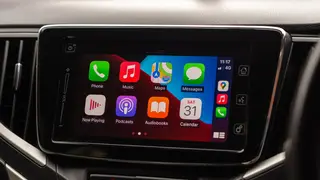
To stop CarPlay from automatically connecting, users can toggle off the CarPlay setting for their car in the iPhone's General settings. Alternatively, they can use Screen Time restrictions to block CarPlay entirely. For older vehicles, forgetting the car in CarPlay settings is another option.
Users can disable the feature per vehicle by navigating to the General settings and switching off the specific car entry. For older vehicles lacking this toggle, the "Forget This Car" option serves as an alternative removal method.
A global block is possible through Screen Time's content restrictions, which disables the feature entirely. Turning it off may conserve battery, reduce on-screen distractions, and prevent interference with AirDrop file transfers, though users can simply switch to the car's native system.
This guidance could empower drivers to reclaim control over their in-car digital environment, potentially reducing distraction or extending battery life. It may also reflect a broader trend where users seek to manage the increasing integration of smartphones into vehicles, balancing convenience with personal preference for privacy or minimalism.