Guide to OpenAI's parental controls for teen ChatGPT users
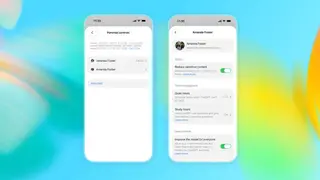
OpenAI's ChatGPT for Teens mode includes stricter content filters and health-focused features, but many require parents to link their accounts and manually enable them. This guide walks through the account-linking process, which involves sending an invitation from the parental controls menu. Once linked, parents can adjust individual settings for their child's AI usage.
The account-linking procedure requires a mutual invitation, initiated either by the parent or the teen, with the teen selecting "My child" or "My parent or guardian" respectively. Once connected, the parent gains access to a dashboard of roughly a dozen toggles, including controls for sensitive content, memory usage, and the Codex/Cloud browser features of ChatGPT Work.
Notably, the parental oversight automatically terminates when OpenAI's system flags the teen as an adult, severing the link and disabling all previously applied restrictions. This transition also ends the parent's receipt of safety notifications, highlighting the temporary nature of these guardianship tools.
This feature could significantly influence how families navigate AI adoption, as it shifts the burden of safety from the platform to individual guardians. Parents who actively link accounts may foster more supervised, educational use, potentially mitigating risks of exposure to harmful content. However, the reliance on manual activation and the automatic termination at adulthood could leave gaps in protection, particularly for teens who are unaware of or unwilling to accept parental oversight. This may also pressure OpenAI to refine its age-verification systems.